Business cards need role-specific details when the recipient must understand who they met, what that person handles and how to reach the right contact afterwards. A shared company template still matters, but the individual version should remove uncertainty. The useful balance is a consistent brand identity with a small number of clear, customer-facing differences.
⏱️ Estimated reading time: 5 minutes
Table of Contents
When business cards should identify a specific role

Begin with the conversation that is likely to follow the exchange. A named contact, understandable job title and suitable telephone or email route can help a sales representative, account manager, estimator, venue manager or director who expects direct enquiries after a meeting. In those cases, role-specific information gives the recipient a sensible next step.
The same principle applies where staff serve different audiences. An estate agency might distinguish a valuer from a lettings contact. A hospitality business might identify the person handling private events separately from the team managing everyday bookings. If a recipient needs to know who can answer a particular question, the card should explain that responsibility in plain language.
Not every internal distinction needs its own card. Long grades, unfamiliar departmental labels and formal titles can confuse people outside the organisation. Choose wording that describes the customer-facing function instead of copying the organisational chart. “Commercial enquiries” may be more helpful than a title that does not indicate what a prospective customer can actually ask that person about.
Choosing role-specific details for business cards
Vary contact details only where the change improves the recipient’s route to help. A direct number may suit someone who personally handles calls. A central number may be better where enquiries need triage, cover during absence or a shared response. The same decision applies to email: use an individual address for a personal relationship and a monitored team inbox where continuity matters more.
| Detail | Include it when | Leave it out when |
|---|---|---|
| Job title | It explains the person’s practical responsibility. | It is internal jargon or repeats a service line. |
| Direct telephone number | The cardholder should receive relevant calls. | Calls should go through a central office. |
| Service or specialism line | It helps the reader choose the correct contact. | It is a broad list of everything the business offers. |
| Territory or location | It clarifies genuine customer coverage. | It does not alter who can assist the recipient. |
Usually, a name, readable title and correct contact route are enough. A role-specific card is not a miniature biography. For example, a consultant meeting prospects at an event might use “Design and print enquiries” beneath their name if that accurately describes their role. Adding qualifications, internal reporting lines and a long service list would probably make the card harder to scan.
Keep business cards consistent across a team
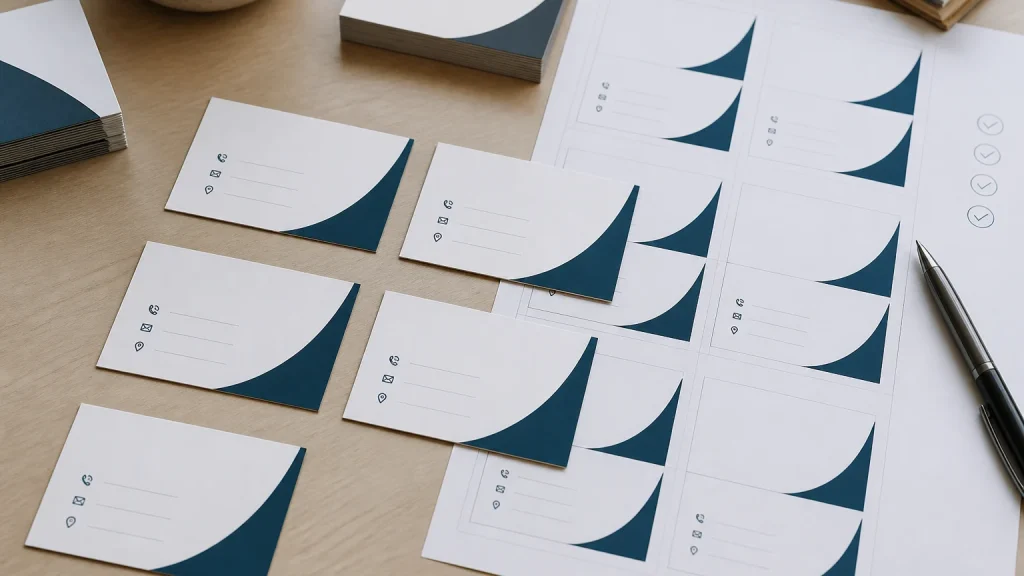
Consistency matters when several people attend the same event, visit customers or represent the business at different stages of a buying journey. Cards that look unrelated can make a team seem disconnected, even if every contact detail is correct. Use one master design and create controlled versions from it. Keep the logo, colours, typefaces, spacing and core business information aligned across the set.
Decide on visual hierarchy before adding variable information. The company name or logo should be quick to find, followed by the person’s name, their role and a practical way to make contact. Extra space, however, is not a reason to add social handles, slogans, several calls to action and a full catalogue of services.
A modest content rule prevents versions drifting apart. One role line, one preferred telephone route, one email route and shared website information may be sufficient for most teams. If a business uses different titles for comparable customer-facing jobs, agree a format before design begins. “Name | role | contact details” is easier to check than cards built individually from separate instructions.
Approve variable information before print

The common mistake is treating staff details as last-minute data entry. Names, titles, mobile numbers and email addresses require the same care as a logo because one incorrect character can make a card inconvenient or unusable. Check the wording before approving the layout; a well-designed template cannot identify an out-of-date number or an incorrectly supplied job title.
Create a simple approval sheet with one row for each cardholder. Record the exact spelling of the name, customer-facing title, telephone number, email address and any approved specialist line. Ask the relevant manager or cardholder to confirm the details, then nominate one person to approve the final list. This gives the designer and printer a single source to work from rather than several amended email threads.
Before artwork goes to print, review every version rather than only on a zoomed-in screen. Confirm that placeholders have been replaced, no colleague’s information has been copied across, line breaks remain sensible and contact routes are legible. Where artwork needs creating or amending, Newstyle Print provides design and layout assistance alongside business card printing.
Order quantities around likely changes
Role-specific versions affect quantity planning as well as artwork. A growing team may change titles, staff responsibilities, numbers or email addresses more often than an established leadership group. Ordering the same large quantity for every person can create waste if details are likely to change. Smaller batches for changing roles may offer more flexibility, while a stable team may prefer a larger run after checking the information carefully.
One general card can still be the right choice for a small business where one owner or central office handles every enquiry. Shared cards may also suit a reception desk, customer-service counter or event stand. Avoid a personal mobile number unless customers are genuinely expected to use it and the cardholder is comfortable receiving those work calls.
Conclusion
The most useful business cards tell a recipient who they met, what that person can help with and how to continue the conversation without guesswork. Personalise only the details that improve that decision, while keeping the team’s visual identity and core message consistent. Before ordering, prepare an approved list of every variable field, check each version at reading size and choose quantities that reflect how soon staff information may change.